Trusted, proven, recognized

The analytics system 170,000 spreadsheet users already trust

170K+
Users trust OWOX[1]
Analysts, marketers, and data teams across 20+ industries
4.9★
Rating on G2[2]
“A trusted data analytics partner” — verified review
365K+
Data marts delivered
Created and served by OWOX to business users
79K
npm installs[3]
Self-hosted OWOX Community Edition on GitHub
Self-managed vs Cloud

Same engine. You control the infrastructure.

The Data Mart engine, connectors, and governance layer are identical. The difference is where it runs and which delivery channels are available.

What you get (self-managed)

The full analytics engine

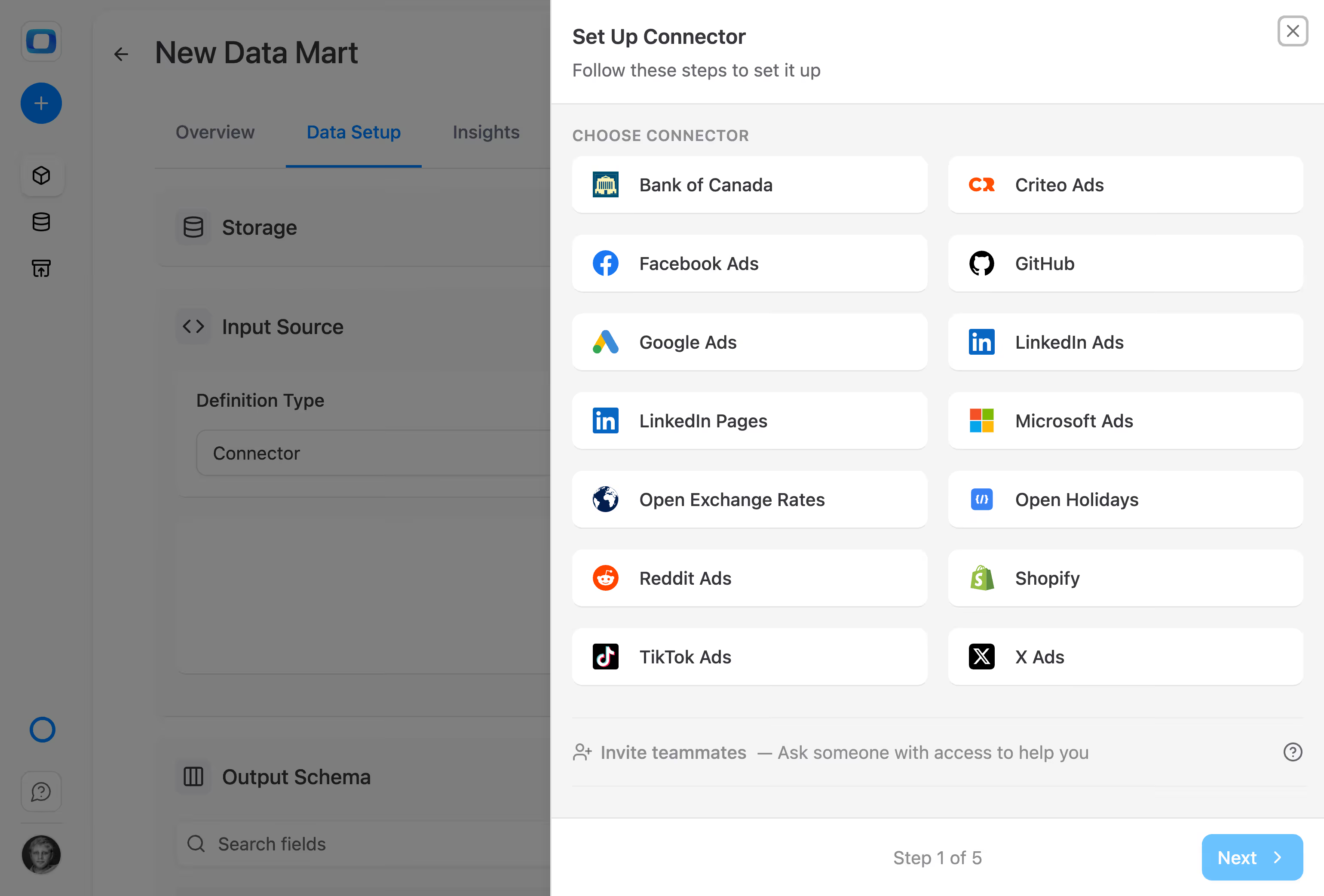
All open-source connectors — Facebook, TikTok, LinkedIn, Google, Shopify, and more (MIT)
All 5 warehouses — BigQuery, Snowflake, Databricks, Redshift, Athena
Full Data Mart management — SQL, tables, views, patterns, one-click library
Google Sheets export — push Data Mart results to Sheets on schedule
Looker Studio connector — dashboards on governed data
What's Cloud-only

Delivery and self-service extras

Google Sheets Extension (column picker) — self-serve browsing in Sheets
AI Insights — automated narrative reports to Slack, Teams, email
Conversational AI — ask questions in your messenger
OAuth credential setup — one-click ad platform authentication
OData destination — connect Excel, Power BI, Tableau (coming soon)

Self-managed gives you the engine. Cloud adds the delivery channels and self-service layer. Start self-managed, upgrade to Cloud anytime — your Data Marts carry over.

Install from GitHub →
Connectors, Data Marts, Sheets export. Free.
Included in Community

Connectors, Data Marts, Sheets export. Free.

The Community edition includes everything you need to build a governed analytics system. No feature gates on the core engine.

15+ connectors pull data from ad platforms, CRMs, and APIs — all MIT licensed, all free
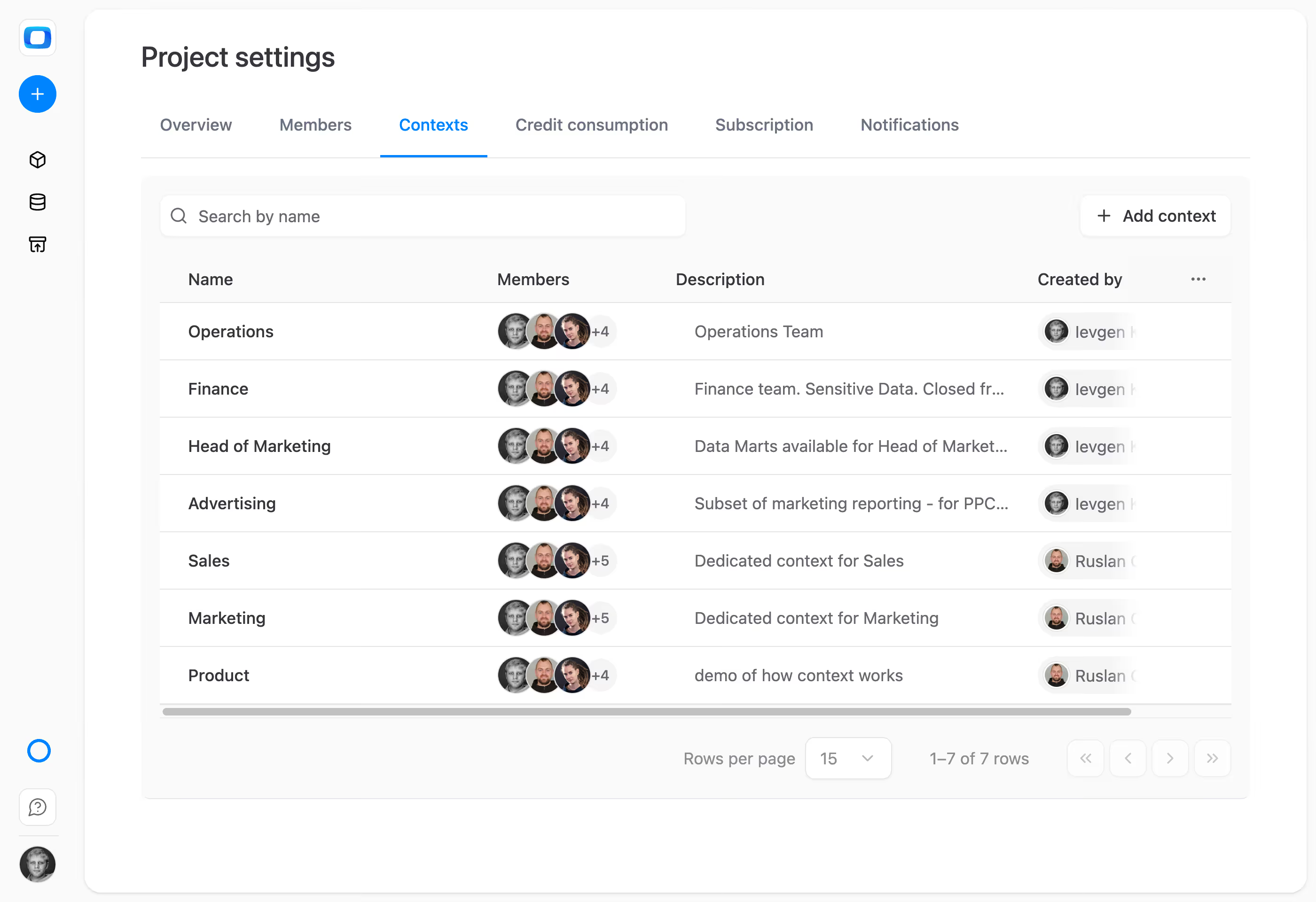
Data Mart library with aliases, join keys, ownership, descriptions — full governance
Google Sheets export pushes results on schedule — your analysts control the delivery
Connectors, Data Marts, Sheets export. Free.
Deploy anywhere

Install on your machine. 5 minutes. Done.

Your desktop, a cloud VM, or your company server — anywhere Docker runs. No complex infrastructure required.
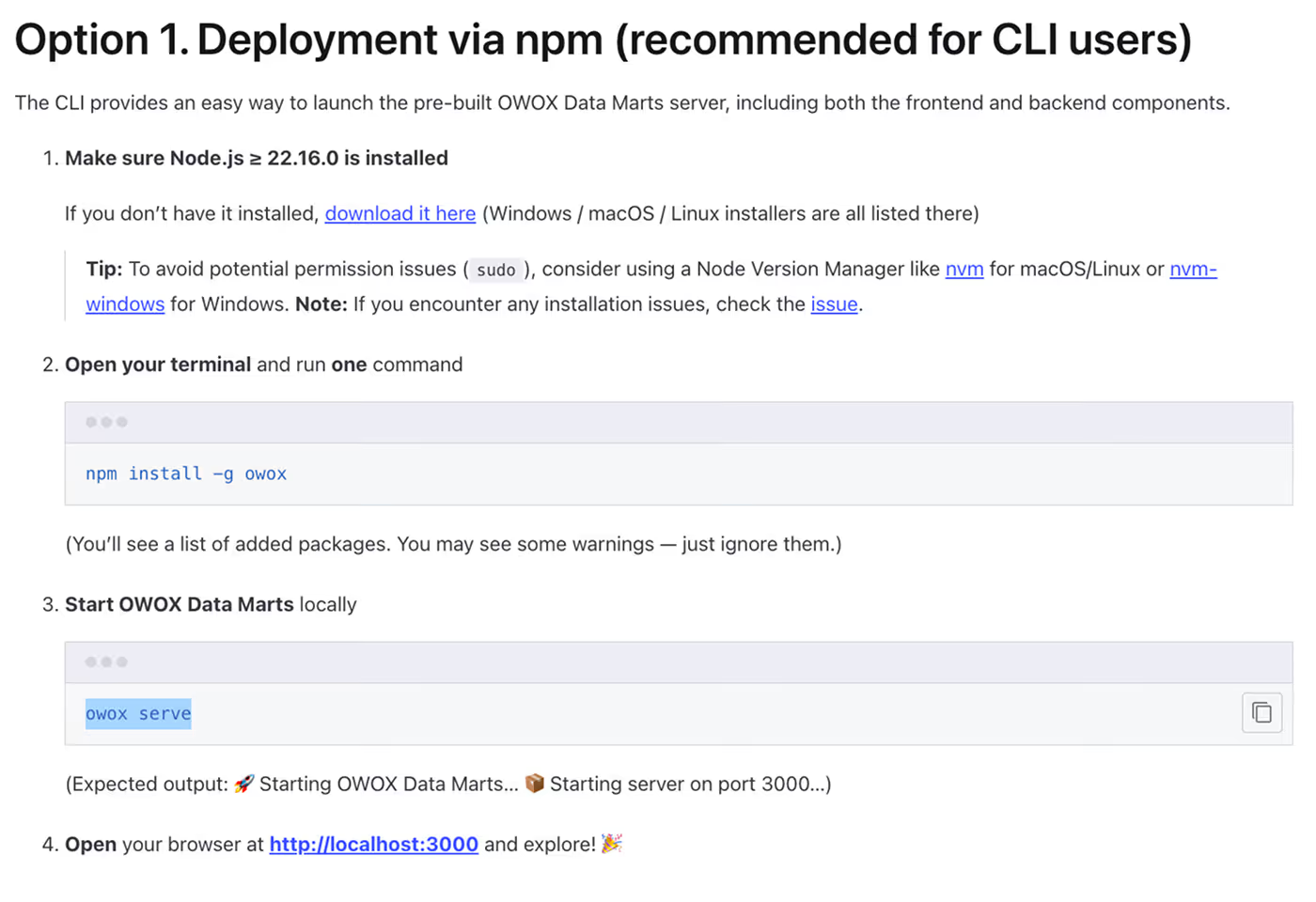
One-command install for local and single-server deployments — the fastest path
Deployment guides for GCP, DigitalOcean, Render, and local development
All configuration via environment variables — straightforward setup
Install on your machine. 5 minutes. Done.
Community. Agency. Enterprise.
Three editions

Community. Agency. Enterprise.

Start free with Community. Add multi-client isolation with Agency. Get SSO, RBAC, and HA clustering with Enterprise.

Community — free forever. All connectors, Data Marts, Sheets export. Single project. Community support.
Agency — paid subscription. Multiple projects for client isolation. SLA. Agency-level support.
Enterprise — paid subscription. SSO (SAML), RBAC, access permissions, monitoring, HA cluster, AI Insights.
Community. Agency. Enterprise.

Deploy your first Data Mart in 5 minutes

Download from GitHub. Install. Connect your warehouse. Build your first governed Data Mart. Push to Sheets.

How it works

From install to governed reports — in three steps

No vendor account. No credit card. Install, connect your warehouse, and start building.

Install the platform

Download from GitHub, run npm install, configure your data warehouse credentials. 5 minutes.

Download from GitHub, run npm install, configure your data warehouse credentials. 5 minutes.

Build your Data Mart library

Connect sources, import data, define governed Data Marts with joins, aliases, and ownership. One-click library.
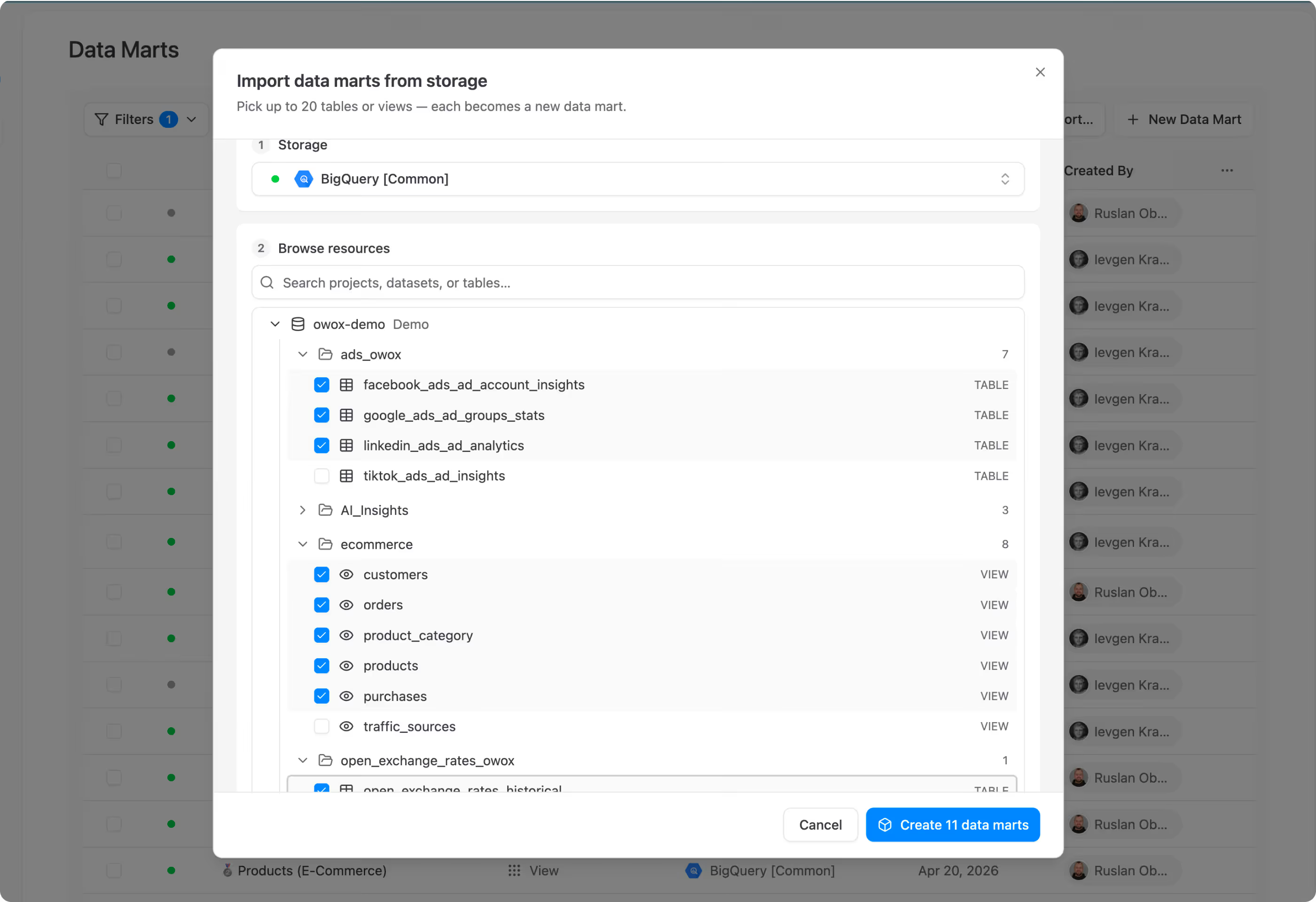
Connect sources, import data, define governed Data Marts with joins, aliases, and ownership. One-click library.

Deliver to Sheets and Looker Studio

Push Data Mart results to Google Sheets on schedule. Connect Looker Studio for dashboards. Your analysts control everything.
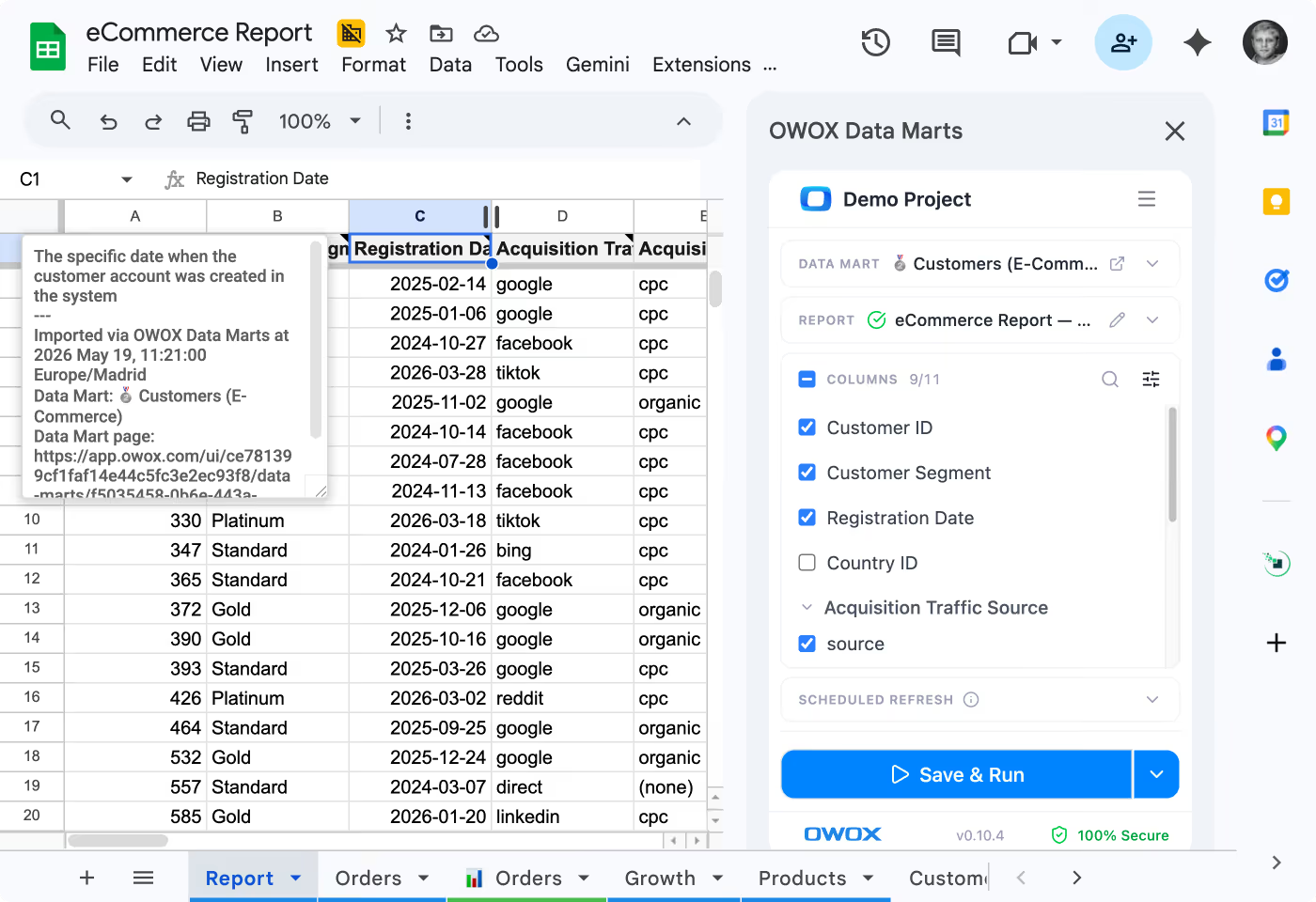
Push Data Mart results to Google Sheets on schedule. Connect Looker Studio for dashboards. Your analysts control everything.
Download from GitHub, run npm install, configure your data warehouse credentials. 5 minutes.
Connect sources, import data, define governed Data Marts with joins, aliases, and ownership. One-click library.
Push Data Mart results to Google Sheets on schedule. Connect Looker Studio for dashboards. Your analysts control everything.
Why self-managed

Three reasons to run it yourself

Full control. Zero cost. No vendor dependency.

Free forever

Community edition has no usage limits, no trial period, no feature countdown. The core engine is free. Period.

Full data sovereignty

Your data stays on your infrastructure. Credentials stay on your infrastructure. No third-party cloud touches your warehouse.

No vendor lock-in

Source available (ELv2). Connectors are MIT. Fork it, modify it, contribute back. If OWOX disappears tomorrow, your system keeps running.

F7

“Despite having SQL and spreadsheets, self-service never truly worked. 73% of data goes unused. That’s why we built a self-managed version of OWOX BI – so any user can access trusted data, and analysts can stop firefighting dashboards and get back to strategic work”

Vlad Flaks
Founder, OWOX
Governance
FAQ

Questions about self-managed

What's the difference between self-managed and Cloud?
+
What does "free forever" actually mean?
+
What do I need to deploy it?
+
How do I set up ad platform credentials without OAuth?
+
Can I upgrade from Community to Cloud later?
+
What's the licensing?
+
Customer stories

Teams that applied self-service analytics

Three outcomes you get the moment your data marts go live

All case studies →
COMMUNITY — FREE

Deploy in 15 minutes

All connectors. Full Data Mart governance. Sheets export. Looker Studio. On your machine. Free forever.

One-command install — runs on any machine
All connectors (MIT) + all 5 warehouses
No usage limits, no trial, no phone-home
NEED MORE?

Agency or Enterprise edition

Multi-project isolation, SSO, RBAC, HA clustering, monitoring, AI Insights, and SLA.

Agency — multi-client with SLA
Enterprise — SSO, RBAC, AI Insights, HA cluster
Both include dedicated support